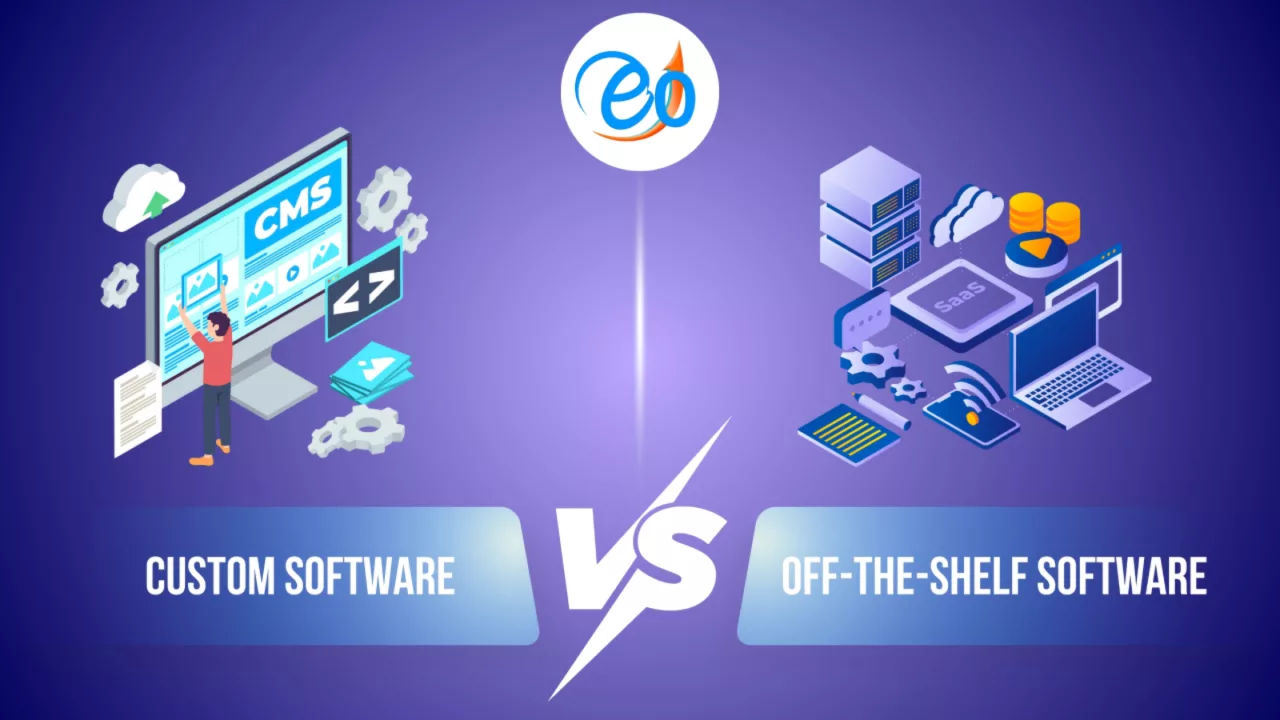

Off-the-Shelf vs. Custom Software: The Build vs. Buy Debate

post

Off-the-Shelf vs. Custom Software: The Build vs. Buy Debate

In the modern business landscape, technology is the engine of growth. Whether you are a startup looking to scale or an established enterprise aiming to optimize operations, one critical question eventually arises: Should we buy a ready-made solution or build our own from scratch?

This is the “Build vs. Buy” debate—a strategic crossroads that can impact your company’s efficiency, budget, and long-term scalability. To help you decide, let’s break down the pros and cons of each approach.

Off-the-Shelf Software (The “Buy” Side)

Off-the-shelf software refers to ready-to-use applications designed for a broad audience. Examples include Microsoft 365, Salesforce, or specialized industry tools.

The Pros:

  • Rapid Deployment: You can sign up and start using the software almost instantly. There is no development lead time.

  • Lower Initial Cost: Since the development cost is spread across thousands of users, the upfront price or monthly subscription is usually much lower than building a custom tool.

  • Reliability & Support: These products are vetted by thousands of users. Updates, security patches, and customer support are handled by the vendor.

The Cons:

  • Lack of Customization: You are forced to adapt your business processes to the software’s workflow, rather than the other way around.

  • Hidden Costs: While the entry price is low, “feature creep” (paying for premium tiers) and per-user licensing fees can become expensive as you grow.

  • No Competitive Edge: Because your competitors can buy the exact same tool, the software itself provides no unique advantage.

Custom Software (The “Build” Side)

Custom software is built from the ground up to meet your specific business requirements, workflows, and goals.

The Pros:

  • Tailored Perfection: The software is designed to fit your business like a glove. It does exactly what you need and nothing you don’t.

  • Scalability & Ownership: You own the intellectual property. As your business evolves, you can add features or pivot the technology without waiting for a vendor’s roadmap.

  • Seamless Integration: Custom tools can be built to communicate perfectly with your existing internal systems, eliminating data silos.

The Cons:

  • High Initial Investment: Developing custom software requires a significant upfront investment in terms of time and capital.

  • Longer Wait Times: It can take months (or longer) to move from the discovery phase to a fully functional product.

Which Is Right for You?

The decision usually comes down to two factors: Strategic Value and Complexity.

  1. Buy if: The software performs a “utility” function (like email, accounting, or basic HR) that doesn’t define your unique value proposition.

  2. Build if: The software is your product, or if your business processes are so unique that no existing tool can handle them without massive workarounds.

Finding Your Solution

Navigating the choice between off-the-shelf efficiency and custom-built power doesn’t have to be a solo journey. At Eocambo Technology, we specialize in bridging the gap between business needs and technological excellence.

If you are looking for battle-tested tools that are ready to go, explore our solutions to see how we help businesses streamline their operations today.

Still not sure which path is right for your specific project? Our team of experts is ready to help you weigh the costs and benefits. Contact us today to start a conversation about your digital transformation.

Preparing a Project Brief: How to Get the Best Quote from a Dev Agency.

Getting a development agency to understand your vision and provide an accurate quote can feel like a daunting task. The key to success isn’t just finding the right agency, but giving them the right information. A well-prepared project brief is your secret weapon, ensuring clarity, minimizing revisions, and ultimately, securing the best possible quote for your project.

Why a Strong Project Brief is Non-Negotiable

Imagine asking a builder for a quote on a house without providing blueprints or even a clear idea of how many rooms you need. It’s an impossible task, leading to inflated estimates, missed expectations, and frustration. The same applies to software development. A detailed brief helps agencies:

  • Understand Your Vision: They can grasp the core problem you’re solving and your desired outcome.

  • Estimate Accurately: With clear requirements, they can better scope the work, leading to more precise and competitive quotes.

  • Identify Potential Challenges: Early identification of complexities allows for proactive solutions and better planning.

  • Streamline Communication: It serves as a foundational document, reducing back-and-forth and misinterpretations.

So, how do you create a brief that stands out and gets you the best results? Let’s break it down.

1. Start with the “Why”: Project Overview and Goals

Don’t dive straight into features. Begin by providing context.

  • Executive Summary: A concise overview of your project. What is it? What problem does it solve?

  • Business Goals: What do you hope to achieve with this project? (e.g., increase sales by 20%, improve customer engagement, automate internal processes). Be specific and measurable.

  • Target Audience: Who will be using this product? Understanding their needs and pain points is crucial for design and functionality decisions.

2. Define the “What”: Scope and Features

This is where you detail what the agency will actually be building.

  • Key Features & Functionality: List out the essential features. For each, describe what it does and why it’s important. Prioritize them (must-have, nice-to-have, future-phase).

  • User Journeys (Optional but Recommended): How will a typical user interact with your product? Mapping out these paths can clarify functionality.

  • Technical Requirements (If Known): Are there any specific technologies you prefer or systems it needs to integrate with? (e.g., “must integrate with our existing CRM,” “needs to be built on a specific framework”).

  • Current State vs. Desired State: If this is an improvement or migration of an existing system, clearly articulate its current limitations and your desired improvements.

3. Consider the “How Much” and “When”: Budget & Timeline

While you’re seeking a quote, providing a realistic range can help agencies tailor their proposals.

  • Budget Range: Instead of a single number, offer a range (e.g., “$50,000 – $70,000”). This helps agencies understand your expectations and propose solutions that fit.

  • Timeline Expectations: When do you ideally need this project completed? Be realistic, but also communicate any hard deadlines.

  • Phased Approach: Are you open to developing the project in phases (e.g., an MVP first, then additional features)? This can be a great way to manage budget and risk.

4. Visuals and Supporting Materials

A picture is worth a thousand words, especially in development.

  • Wireframes/Mockups: Even rough sketches can convey your ideas far better than text alone. Tools like Figma, Sketch, or even pen and paper can be used.

  • Competitor Analysis: Point out similar products or features you like (or dislike) and explain why.

  • Brand Guidelines: If design is part of the project, share your brand identity, colors, and fonts.

  • Examples: Provide links to websites or apps that have functionality or aesthetics you admire.

5. Your Team and Communication Style

Give the agency a sense of who they’ll be working with.

  • Key Stakeholders: Who will be the primary contact? Who makes final decisions?

  • Preferred Communication: How do you like to communicate (email, video calls, project management tools)?

  • Reporting: How often do you expect updates and in what format?

6. The Nitty-Gritty: Legal and Administrative

Don’t forget the practical details.

  • RFP/RFQ Process: If you have a formal Request for Proposal process, outline it clearly.

  • Submission Requirements: What do you expect in their proposal (e.g., team structure, case studies, detailed breakdown of costs)?

  • Confidentiality: If your project involves sensitive information, mention your requirements for Non-Disclosure Agreements (NDAs).

Putting It All Together for the Best Quote

A comprehensive project brief demonstrates professionalism and a clear understanding of your needs. It empowers development agencies to respond with accurate, well-thought-out proposals that truly reflect the scope of work.

By investing time upfront in preparing a detailed brief, you’re not just asking for a quote; you’re setting the foundation for a successful partnership and a project that meets your expectations.

Looking for solutions that fit your business? Explore our range of products and services: https://eocambo.com/our-solutions/

Ready to discuss your project? Get in touch with us: https://eocambo.com/contact-us/

Native vs. Hybrid vs. PWA: Understanding App Technologies

In today’s digital world, having a mobile presence is no longer a luxury—it’s a necessity. But if you are a business owner or an entrepreneur looking to build an app, you will quickly encounter a confusing fork in the road. Should you build a Native app, a Hybrid app, or a Progressive Web App (PWA)?

If those terms sound like “tech-speak” to you, don’t worry. This guide breaks down each technology into simple terms so you can choose the right path for your project.

1. Native Apps: The “High-Performance” Choice

A Native app is built specifically for one operating system. Just as a plug for a UK socket won’t work in a US outlet, a Native Android app won’t work on an iPhone. Developers use specific languages (like Swift for iOS and Kotlin for Android) to build them.

  • The Experience: Because they are “native” to the phone, these apps are incredibly fast and smooth. They have full access to the phone’s hardware, like the camera, GPS, and FaceID.

  • The Upside: Best performance, best security, and the “premium” feel users expect.

  • The Downside: They are expensive and time-consuming because you essentially have to build the app twice (once for Apple and once for Google).

2. Hybrid Apps: The “Middle Ground”

Think of a Hybrid app as a website put inside a native “container.” It’s built using web technologies (HTML, CSS, and JavaScript) but is wrapped in a way that allows it to be downloaded from the App Store or Play Store.

  • The Experience: To the average user, a Hybrid app looks just like a Native app. However, it might feel slightly less “snappy” during complex animations or heavy tasks.

  • The Upside: “Write once, run anywhere.” You build one codebase, and it works on both iOS and Android. This saves a significant amount of time and money.

  • The Downside: Performance can lag if the app is very complex, and it may require extra work to make it feel “natural” on both types of phones.

3. Progressive Web Apps (PWA): The “Instant” Choice

A PWA is essentially a website that acts like an app. You don’t download it from an app store. Instead, when you visit the website on your phone’s browser, it asks if you’d like to “Add to Home Screen.” Once added, it sits there with an icon just like any other app.

  • The Experience: PWAs work offline, can send push notifications, and load incredibly fast. However, they cannot do everything a native app can (for example, they have limited access to certain iPhone features).

  • The Upside: No app store approval process, very low development cost, and users can “install” it instantly without waiting for a download.

  • The Downside: You aren’t listed in the Apple or Google App Stores, which can make it harder for new customers to “discover” you.

Comparison at a Glance

Feature Native Hybrid PWA
Speed/Performance Excellent Good Fast
Development Cost High Medium Low
App Store Presence Yes Yes No
Offline Function Yes Yes Limited


Which One Should You Choose?

  • Choose Native if you are building a high-end game, a complex social media platform, or an app where security and speed are the absolute top priorities.

  • Choose Hybrid if you want to reach both iPhone and Android users quickly on a reasonable budget.

  • Choose PWA if you want an affordable, easily accessible tool for your customers that doesn’t require the hassle of the App Store.

Ready to Build?

Deciding on the right technology is the first step toward digital success. At Eocambo, we specialize in helping businesses navigate these choices to find the perfect fit for their goals and budget.

If you want to see what is possible for your business, feel free to explore our solutions to see the types of technology we deploy.

Ready to turn your idea into a reality? Contact us today for a consultation, and let’s build something great together.

The ROI of Good UI/UX Design

In today’s digital-first economy, the design of your website or mobile app is no longer just a matter of aesthetics—it is a critical driver of business performance. Many companies still view User Interface (UI) and User Experience (UX) as “the finishing touches” on a product, but data shows that a strategic investment in design yields one of the highest returns in the tech world.

Here is a breakdown of the ROI of good UI/UX design and why it matters for your business.

1. The “100-to-1” Return Rule

According to research by Forrester, every $1 invested in UX design results in a return of up to $100. This staggering 9,900% ROI stems from the fact that a well-designed product reduces customer acquisition costs, lowers support requirements, and increases long-term retention.

2. Massive Boost in Conversion Rates

First impressions are 94% design-related. If your interface is cluttered or confusing, users leave before even reading your value proposition.

  • UI Impact: A well-crafted User Interface can boost your conversion rate by 200%.

  • UX Impact: Improving the overall User Experience (how the product feels and functions) can raise conversion rates by up to 400%.

When users can find what they need without friction, they are far more likely to complete a purchase or sign up for your services.

3. Reducing the “Cost of Frustration”

Bad design is expensive. It is estimated that 88% of online users are less likely to return to a site after a single bad experience. Furthermore, slow loading times—often a result of poor technical UX—lead to billions in lost sales annually. By investing in UI/UX early, you avoid:

  • Development rework: It is 100 times more expensive to fix a usability error after the code is written than during the design phase.

  • Customer support overload: Intuitive design answers the user’s questions before they have to ask, significantly reducing the volume of support tickets.

4. Gaining a Competitive Edge

McKinsey & Company found that design-driven companies increase their revenues and shareholder returns nearly twice as fast as their industry peers. In a crowded marketplace, the “ease of use” becomes your strongest differentiator. Customers are no longer just buying a product; they are buying the experience of using it.

Ready to Optimize Your Digital Experience?

At eOcambo Technology, we specialize in building high-performance websites and mobile applications that don’t just look great—they deliver results. Our team combines local expertise with global design standards to ensure your digital products provide a seamless experience for your users and a measurable ROI for your business.

Whether you are looking to refresh an existing platform or build a new one from scratch, we are here to help.

Contact Us Today to Start Your Design Journey

The Hidden Cost of “Cheap” Hosting and Maintenance

In business, we are taught to keep overhead low. When looking at a line item for website hosting, the difference between a $5/month plan and a $50/month managed service seems like an easy place to save.

But your website isn’t just a digital flyer; it’s your storefront, your 24/7 salesperson, and often the first impression a customer has of your brand. When you cut corners on the foundation of that storefront, you aren’t just saving pennies—you’re inheriting risks that can cost thousands of dollars down the road.

Here is the “hidden” invoice you pay when you opt for budget hosting and neglected maintenance.

1. The “Bad Neighbor” Effect (Performance)

Most cheap hosting plans use Shared Hosting. This means your website is crammed onto a single server with thousands of other sites.

  • The Problem: If a “neighbor” on your server has a massive traffic spike or gets infected with malware, your site slows to a crawl or crashes.

  • The Hidden Cost: According to Google, 53% of mobile users abandon a site that takes longer than 3 seconds to load. If your “cheap” host adds just two seconds of lag, you could be losing half of your potential customers before they even see your logo.

2. The SEO Penalty

Search engines like Google prioritize user experience. They publicly state that Page Speed and Uptime are ranking factors.

  • The Problem: Budget hosts often have frequent “micro-downtimes.” If Google’s crawlers try to visit your site while it’s down (or dragging), they flag your site as unreliable.

  • The Hidden Cost: You can spend thousands on SEO content, but if your host is slow, you’ll never see the first page of results. The cost here is the lost organic traffic you have to replace with expensive paid ads.

3. The “Swiss Cheese” Security Model

Security isn’t a “set it and forget it” task. Cheap maintenance (or no maintenance) means your plugins, themes, and server software are rarely updated.

  • The Problem: Outdated software is the #1 way hackers enter a site. Budget hosts rarely provide proactive malware scanning or “clean-up” services.

  • The Hidden Cost: If your site is hacked, a professional cleanup can cost anywhere from $500 to $2,500+. That’s not including the “reputation tax” when Google puts a “This site may be hacked” warning next to your business name in search results.

4. The “Ghost” Support Team

When your site goes down during a big promotion or a Monday morning rush, you need a human being to fix it—fast.

  • The Problem: Cheap providers stay cheap by outsourcing support to massive call centers or relying on slow ticket systems. You might wait 24–48 hours for a response that says, “It’s a plugin issue; not our problem.”

  • The Hidden Cost: Lost Revenue. If your site is down for two days and you typically generate $500/day in leads or sales, that “cheap” hosting just cost you $1,000 in 48 hours.

5. The “Nickel and Dime” Trap

Budget hosts often lure you in with a $2.99/month price tag, but that price is a shell.

  • The Problem: Essential features—like SSL certificates (the padlock icon), daily backups, and professional email—are often “add-ons” that double or triple your bill.

  • The Hidden Cost: When you add up the necessary extras, the “budget” plan often ends up costing nearly as much as a premium managed service, but with none of the performance benefits.

The Bottom Line: Value Over Price

Investing in Managed Hosting and Maintenance is like hiring a security guard, a mechanic, and a concierge for your digital storefront. You aren’t just paying for “space on a server”; you are paying for:

  • Speed: That keeps users on your page.

  • Security: That protects your data and your customers.

  • Uptime: That ensures you never miss a lead.

  • Peace of Mind: Knowing that if something breaks, a professional is already fixing it.

Is your website a liability or an asset? If you’re still on a “bargain” plan, it might be time to look at what it’s really costing you.

Data Security: Is Your Internal System Vulnerable to a Breach?

In today’s digital-first economy, data is the lifeblood of every business. Whether you are managing supply chains through an ERP or processing customer transactions on an e-commerce platform, your internal systems house a treasure trove of sensitive information.

However, many businesses operate under a false sense of security, believing that “small-scale” operations or “internal-only” systems are off the radar for cybercriminals. The reality is quite the opposite: internal vulnerabilities are often the easiest entry points for a devastating breach.

The Hidden Risks in Your Internal Infrastructure

A data breach isn’t always a high-tech “hack” like you see in movies. More often, it is a result of structural weaknesses within your business software.

  • Legacy System Gaps: Older, “patchwork” systems often lack the encryption standards required to fend off modern threats.

  • Poor Access Control: If every employee has administrative access to your entire database, one compromised password can bring down the whole company.

  • Insecure API Integrations: When your website or app talks to your internal database, that bridge (the API) is a prime target if not properly secured.

Custom vs. Off-the-Shelf: Which is Safer?

Many businesses start with generic, one-size-fits-all software. While convenient, these systems are “open books” for hackers who study their public source code to find universal backdoors.

This is where Custom Solutions provide a distinct advantage. By building a system tailored specifically to your workflow, you can implement proprietary security layers and “Security by Design” principles. At Eocambo Technology, we specialize in building secure, scalable systems—from custom ERPs to high-performance e-commerce engines—designed to keep your data under lock and key.

Check out our range of secure business tools: Explore Our Solutions

How to Identify if You Are at Risk

Ask yourself these three questions:

  1. Is your data encrypted at rest and in transit? If a hacker intercepts your data, can they read it in plain text?

  2. When was your last security audit? Systems require constant monitoring to stay ahead of evolving threats.

  3. Are your apps and web platforms synced securely? A vulnerability in your mobile app could lead directly to your internal server.

We have helped numerous clients migrate from vulnerable, fragmented setups to robust, integrated ecosystems that prioritize data integrity. You can see how we’ve implemented these secure architectures in our previous work.

See our successful projects in action: View Our Portfolios

Proactive Protection: The Best Defense

Data security is not a “set it and forget it” task. It requires a partner who understands the intersection of functionality and safety. Whether you need a ground-up custom ERP or a secure mobile app for your customers, ensuring your internal systems are breach-proof is the most important investment you can make this year.

Don’t wait for a “System Offline” notification to realize you have a vulnerability. Secure your future today.

From Spreadsheets to Software: When to Automate Your Operations

Every great business starts somewhere, and usually, that “somewhere” is a spreadsheet.

Spreadsheets are the Swiss Army knives of early-stage business. They are accessible, affordable, and infinitely flexible. You use them to track inventory, manage customer lists, calculate payroll, and forecast sales. When you have five employees and fifty customers, a well-organized Google Sheet or Excel file is all the “system” you need.

But as your business grows, the very tools that once helped you organize can start to hold you back. What used to take minutes now takes hours. Data starts slipping through the cracks. You realize you aren’t managing your business anymore; you are managing spreadsheets.

The transition from manual processes to automated software is one of the most critical inflection points in a company’s lifecycle. The biggest challenge isn’t the technology itself; it’s knowing when to make the leap.

Here is how to recognize the signs that your operations have outgrown spreadsheets and are ready for dedicated software.

The Hidden Costs of the “Spreadsheet Status Quo”

Before looking at the signs of change, it’s important to understand why relying on spreadsheets indefinitely is dangerous.

While they seem “free,” spreadsheets carry hidden costs as you scale:

  • Human Error: A misplaced decimal point or an overwritten formula can lead to disastrous financial mistakes that go unnoticed until it’s too late.

  • Version Chaos: “Who has the latest version of the Q3 forecast? Is it ‘Final_V3.xlsx’ or ‘REALLY_FINAL_V4.xlsx’?”

  • Information Silos: Your sales team’s spreadsheet doesn’t talk to your warehouse’s spreadsheet. The result is disjointed data and missed opportunities.

  • Lack of Real-Time Visibility: If you need to wait until the end of the month to know if you are profitable, you cannot make agile business decisions today.

5 Red Flags That It’s Time to Automate

Moving to a dedicated operational system—often called Enterprise Resource Planning (ERP)—is a significant step. You shouldn’t do it prematurely, but waiting too long stymies growth.

If you recognize any of these five scenarios in your daily operations, it is time to consider automation.

1. Your Team Spends More Time Importing Data Than Analyzing It

The 80/20 rule should apply to your data: 20% of your time gathering it, and 80% using it to make decisions.

If your key personnel are spending hours every week copy-pasting data from one sheet to another, reformatting CSV files, or manually entering invoices into an accounting system, you are wasting valuable human resources. Automation handles the repetitive data entry, freeing your team to do the high-value thinking you hired them for.

2. You Are Experiencing “Growing Pains” Errors

When volume increases, manual processes break. Perhaps you oversold products because inventory counts weren’t updated in real-time. Maybe a customer was billed incorrectly because two departments were looking at different pricing sheets.

When errors start happening not because of incompetence, but because the sheer volume of work is overwhelming your manual checks and balances, you need a system that enforces accuracy automatically.

3. You Cannot Answer Simple Questions Instantly

Imagine an important client calls and asks about the status of their complicated order. Can you give them an answer in thirty seconds? Or do you have to say, “Let me check with the warehouse, then check with shipping, and call you back in an hour”?

If you have to open five different files or query three different department heads to get a snapshot of your business health, your operations are disconnected. Software provides a “single source of truth”—one dashboard that tells you exactly where things stand.

4. Your Spreadsheets Are Crashing

This is a literal sign. If your master Excel file takes five minutes to open, frequently freezes, or has become so complex with nested macros that only one person in the company knows how to fix it if it breaks, you have functionally outgrown the tool. Relying on a fragile file for core operations is a massive business risk.

5. You Are Turning Down New Business Because You Can’t Handle the Admin Load

This is the most painful sign of all. Your sales team is bringing in customers, but operations is waving a white flag. If you are hesitating to scale because you know your current back-office processes will collapse under the new weight, your lack of systems has become the bottleneck for your company’s revenue.

The Next Step: Custom Solutions for Unique Problems

Moving away from spreadsheets doesn’t just mean buying expensive, off-the-shelf software that forces you to change how you work. Every growing business has unique operational quirks that generic software can’t address.

The goal of automation is to build a system that fits your processes, rather than bending your processes to fit a rigid system. This is where custom Enterprise Resource Planning (ERP) comes into play. A custom system connects your finance, inventory, sales, and operations into one seamless flow designed specifically for your business model.

If the red flags above sound familiar, it’s time to stop fearing the change and start exploring how dedicated software can unlock your next stage of growth. If you are ready to streamline your operations and leave the spreadsheet chaos behind, it might be time to explore custom solutions designed for your specific needs. You can learn more about how to approach this transition at https://eocambo.com/our-solutions/.

Why Your Website Speed Directly Impacts Your Revenue

In the digital marketplace, every millisecond counts. While design and content are crucial, the technical performance of your website—specifically its speed, is often the invisible factor that determines whether a visitor becomes a customer or a bounce statistic.

Here is an article breaking down exactly why website speed is a direct driver of your bottom line.

Why Your Website Speed Directly Impacts Your Revenue

In an era of instant gratification, your customers aren’t just looking for quality; they are looking for it now. Research consistently shows that as page load time increases, the probability of a user leaving (bouncing) skyrockets.

1. The “Impatience Factor”: Bounce Rates and Speed

A slow website creates friction. If a page takes longer than three seconds to load, over 40% of users will abandon it. This isn’t just a lost visit; it’s a potential customer moving directly to a competitor.

  • 1–3 seconds: Bounce probability increases by 32%.

  • 1–5 seconds: Bounce probability increases by 90%.

  • 1–10 seconds: Bounce probability increases by 123%.

2. Search Engine Visibility (SEO)

Google has explicitly stated that page speed is a ranking factor. Their “Core Web Vitals” are metrics used to measure the health of a site’s user experience.

If your site is slow, you will rank lower in Search Engine Results Pages (SERPs). Lower rankings mean less organic traffic, which leads to fewer opportunities for sales. In short: Slow speed = Lower visibility = Lower revenue.

3. Conversion Rates: The Millisecond Advantage

Conversion rate optimization (CRO) is often focused on button colors or headlines, but speed is the foundation. Even a 0.1-second improvement in site speed can increase conversion rates by nearly 8–10% for retail sites.

Load Time Impact on Conversion
< 2 Seconds Peak conversion window for most E-commerce sites.
3 – 4 Seconds Conversion rates begin to drop by roughly 5-10% per second.
5+ Seconds Significant “cart abandonment” and loss of consumer intent.

The Psychological Impact: Trust and Brand Perception

Speed is a proxy for professionalism. When a site loads instantly, it feels secure, modern, and reliable. Conversely, a sluggish site triggers subconscious “red flags” for users:

  • Security Concerns: Users are less likely to enter credit card info on a site that feels “broken” or slow.

  • Customer Support: A slow site suggests that the company’s customer service might be equally slow.

“A slow website is like a physical store with a door that’s hard to open. Most customers will simply walk to the next shop rather than struggle to get in.”

How to Reclaim Your Revenue: Quick Wins

If your site is lagging, you don’t necessarily need a full rebuild. Start with these high-impact technical fixes:

  • Optimize Images: Large image files are the #1 cause of slow sites. Use WebP formats and compress images before uploading.

  • Enable Browser Catching: This stores elements of your site on a visitor’s device so the site loads faster on their next visit.

  • Use a Content Delivery Network (CDN): A CDN stores your site on a global network of servers, ensuring it loads quickly regardless of where the user is located.

  • Minify Code: Strip away unnecessary characters from your HTML, CSS, and JavaScript.

The Bottom Line

Website speed is no longer just a “technical spec”—it is a core business metric. By investing in performance, you aren’t just making your site faster; you are actively reducing friction in the sales funnel and protecting your profit margins.

Does Your Business Actually Need a Mobile App?

In today’s digital-first economy, the knee-jerk reaction for many business owners is: “We need an app for that.” With billions of smartphone users worldwide, the allure of having a dedicated icon on a customer’s home screen is strong.

However, building a high-quality mobile app is a significant investment of time, money, and maintenance. Before you dive into development, it is crucial to ask: Does your business actually need a mobile app, or would a mobile-responsive website suffice?

Here is a guide to help you decide.

1. The Frequency of Use

One of the biggest “app killers” is low frequency. If your customers only interact with your business once every six months (like a specialized repair service or a niche consultancy), they are unlikely to download and keep an app.

  • You need an app if: Customers interact with you daily or weekly (e.g., fitness tracking, food delivery, banking, or project management).

  • A website is enough if: Your relationship is transactional and infrequent.

2. Required Functionality

Does your service require hardware features that a browser can’t easily access?

  • You need an app if: You need seamless integration with a phone’s camera (for AR or scanning), GPS (for real-time tracking), Push Notifications, or offline access to data.

  • A website is enough if: You are simply displaying information, blog posts, or a standard e-commerce catalog.

3. Customer Loyalty and Personalization

Apps are the ultimate tool for retention. They allow you to create a “walled garden” where you can offer personalized rewards, saved preferences, and one-click checkouts.

  • You need an app if: You want to build a high-engagement loyalty program or provide a highly personalized user dashboard.

  • A website is enough if: You are focused primarily on Top-of-Funnel discovery and SEO (getting new people to find you via Google).

4. Speed and User Experience

While mobile websites have become incredibly fast, native apps still offer the smoothest user experience. They store data locally, meaning transitions are instant and the UI is specifically tailored to the thumb-driven nature of mobile usage.

The Verdict: How to Move Forward

If you’ve realized that your business processes require complex workflows, constant communication, or a specialized digital tool, then a mobile app is likely the engine that will drive your next stage of growth.

If you are ready to explore how a custom digital solution can transform your business, we are here to help you navigate the process.

  • See what’s possible: Explore Our Products & Solutions to see the technologies we leverage.

  • Get inspired: Browse through Our Completed Projects to see how we’ve helped other businesses scale.

  • Take the next step: Not sure where to start? Reach out to our team via our Contact Us Page for a consultation.

Conclusion: Don’t build an app just because everyone else has one. Build an app because it solves a problem, simplifies a journey, or provides value that a website simply cannot.

5 Signs It’s Time to Redesign Your Corporate Website

In the fast-paced world of technology and business, your corporate website is more than just an address—it’s your primary digital storefront, lead generation engine, and brand ambassador. If your website isn’t performing, it’s actively holding your business back.

Ignoring an outdated or ineffective website can lead to lost conversions, diminished credibility, and frustration for both your team and your potential customers.

Here are five critical signs that tell you it’s time to stop patching up the old site and invest in a full corporate website redesign.

1. Your Mobile Experience is a Liability, Not an Asset

We live in a mobile-first world. If your visitors are forced to squint, pinch, and horizontally scroll to read your content on a smartphone, they won’t stick around. A non-responsive design is the quickest way to lose credibility and drive traffic straight to your competitors.

  • The Technical Reality: Google prioritizes mobile-friendly sites. If your site doesn’t offer a seamless experience on all devices, your search rankings are suffering.

  • The User Experience: A smooth, intuitive mobile experience is no longer a luxury—it’s a basic expectation. If you can’t easily navigate to the product page on a phone, your solution is a redesign.

2. Slow Load Times Are Crushing Your Conversion Rate

User patience is minimal online. If your website takes more than 3 seconds to fully load, you are statistically losing a significant percentage of potential customers. Slow load times are often a tell-tale sign of a legacy system, unoptimized images, or bloated code.

  • The Business Impact: Even minor delays translate directly into lost revenue. Visitors associate fast sites with professional, modern businesses.

  • The Fix: A redesign allows you to integrate modern performance tools and clean, efficient code, ensuring a lightning-fast experience that keeps users engaged.

3. The Design Looks Dated and Fails to Reflect Your Current Brand

Design trends evolve rapidly, and in the technology sector, looking outdated is synonymous with being behind the curve. If your website utilizes old-school visual effects, low-resolution imagery, or a cluttered, complex layout, it sends a clear signal: your company is stuck in the past.

  • The Credibility Factor: Your website is a direct reflection of your company’s professionalism. A modern, crisp design builds trust and reinforces your status as an industry leader.

  • The Opportunity: A redesign is the perfect chance to align your digital presence with your current marketing message and future vision.

4. Updating Content is a Painful, Manual Process

A healthy corporate website is a dynamic one. If simple tasks—like updating a team member’s bio, adding a new service description, or publishing a blog post—require specialized coding knowledge, IT support, or a complex series of steps, your CMS is outdated.

  • The Marketing Bottleneck: A difficult-to-manage site hinders your marketing team’s ability to react quickly to market changes or maintain fresh, relevant content.

  • The Solution: Migrating to a modern, intuitive CMS (like WordPress, HubSpot, or similar platforms) during a redesign puts the power of content management back in your team’s hands.

5. It’s Not Generating Leads or Driving Clear Actions

Ultimately, your corporate website must serve a business purpose: generating leads, closing sales, and providing information. If your analytics show high bounce rates, low time-on-page, and poor conversion rates, your site has failed its primary mission.

  • The Failure Point: Is it difficult for users to find your primary Call-to-Action (CTA)? Are the pathways to contact buried under layers of navigation?

  • The Redesign Focus: A successful redesign is centered on Conversion Rate Optimization (CRO). It establishes clear user journeys, prominent CTAs, and optimized landing pages designed to turn visitors into qualified leads.


Time to Evaluate Your Digital Presence

If any of these five signs resonate with your current situation, it’s not a moment too soon to begin planning a comprehensive website redesign. It is an investment in your company’s future, ensuring your digital storefront works as hard as your sales team to drive success.