
SEO for Success: Why WordPress is the best choice for businesses that want to rank #1 on Google.

post

SEO for Success: Why WordPress is the best choice for businesses that want to rank #1 on Google.

In the digital age, your website is your storefront, your calling card, and your most powerful sales tool. But even the most beautiful website is useless if no one can find it. For businesses aiming for the coveted #1 spot on Google, the foundation of your digital presence matters.

At Eocambo Technology, we specialize in building high-performance digital assets. Through years of experience, we’ve found that when it comes to Search Engine Optimization (SEO), WordPress remains the undisputed champion.

Here is why WordPress is the ultimate choice for businesses serious about dominating search results.

1. Google Loves WordPress Out of the Box

Google’s engineers, including former head of webspam Matt Cutts, have openly praised WordPress. The platform is built with high-quality, compliant code that produces logical site architecture. This makes it incredibly easy for Google’s “crawlers” to read and index your content. When Google can understand your site easily, you are already halfway to the first page.

2. Powerful SEO Plugins (Your Secret Weapon)

While the core of WordPress is SEO-friendly, its true power lies in its ecosystem. Tools like Yoast SEO or Rank Math act like a dedicated SEO consultant sitting right inside your dashboard. These tools allow you to:

  • Optimize meta titles and descriptions.

  • Analyze keyword density.

  • Manage “Schema Markup” (which helps you get those fancy star ratings and snippets in search results).

  • Generate automated XML sitemaps.

3. Mobile-First Design

Google now uses “mobile-first indexing,” meaning it looks at the mobile version of your site to determine your ranking. Most WordPress themes are designed to be fully responsive. At Eocambo, our custom WordPress solutions ensure that your site looks and performs perfectly on everything from an iPhone to a 27-inch monitor—a critical factor for ranking high.

4. Speed and Performance

Site speed is a confirmed ranking factor. A slow site frustrates users and leads to a high “bounce rate,” which tells Google your site isn’t valuable. WordPress allows for advanced caching, image optimization, and integration with Content Delivery Networks (CDNs). We build our sites to be lean and fast, ensuring you meet Google’s “Core Web Vitals” standards.

5. Content is King, and WordPress is the Kingdom

SEO is fueled by fresh, high-quality content. WordPress started as a blogging platform, and it remains the best CMS for content management. It allows your team to easily publish articles, update service pages, and add media without needing to write a single line of code. The more quality content you publish, the more “authority” you build in the eyes of Google.

6. Robust Security

A hacked site will be immediately penalized or removed from Google search results. WordPress has a massive global community constantly updating the software to patch vulnerabilities. When combined with professional management and secure hosting, it provides a fortress for your business’s online reputation.

Partner with Eocambo for Your SEO Journey

Choosing WordPress is the first step, but executing a winning SEO strategy requires technical expertise. Whether you need a brand-new custom website or want to migrate your existing site to a platform that actually generates leads, we are here to help.

Explore our full range of IT services and digital tools on our Solutions Page.

Ready to claim your spot at the top of Google? Contact us today to start building a website that doesn’t just look good—it performs.
Security for Your Customers: How Laravel protects credit card data and personal info better than basic plugins.

In the competitive world of e-commerce and digital services, security isn’t just a technical requirement—it is the foundation of customer trust. When a user enters their credit card details or personal information on your site, they are handing you the “keys” to their financial life.

Many businesses start with “off-the-shelf” CMS platforms or basic plugins to handle these transactions. However, as cyber threats become more sophisticated, these generic solutions often fall short. At Eocambo, we specialize in building high-performance, secure systems using Laravel, the PHP framework designed for developers who prioritize security.

Here is why Laravel protects your customers’ data better than basic plugins.

1. Robust Encryption vs. Plugin Vulnerability

Basic plugins often store data using standard encryption or, in worst-case scenarios, outdated methods that are easy for hackers to crack. Laravel uses the AES-256 and AES-128 encryption via the OpenSSL library.

Every piece of sensitive data—whether it’s a customer’s address or a stored token—is encrypted using a unique “App Key.” This ensures that even if a database is breached, the information remains unreadable and useless to the attacker.

2. Built-in Defense Against SQL Injections

One of the most common ways hackers steal personal info is through SQL injection, where they “trick” a website’s database into revealing all its records. Many basic plugins are susceptible to this because they use poorly written queries.

Laravel’s Eloquent ORM uses PDO parameter binding by default. This means every piece of data a customer enters is automatically sanitized, making it virtually impossible for malicious code to reach your database.

3. Protection Against Cross-Site Request Forgery (CSRF)

Imagine a customer is logged into your site, and a malicious third-party site triggers a hidden request to change that customer’s password or shipping address. This is a CSRF attack.

While many plugins require additional configuration (which is often forgotten) to prevent this, Laravel has CSRF protection built into its core. It generates a unique security token for every active user session, ensuring that every request made to your server is legitimate and authorized.

4. Professional Handling of Payment Data (PCI Compliance)

Handling credit card data directly is a massive liability. Basic plugins often attempt to process this data on your server, which can lead to catastrophic data leaks if the plugin has a “backdoor.”

With Laravel, we integrate industry-leading payment gateways (like Stripe or Braintree) using official, secure SDKs. This ensures that credit card data never touches your server. Instead, it is exchanged for a secure “token.” This method not only keeps your customers safe but also makes your business PCI-compliant with minimal effort.

5. Regular Updates vs. Abandoned Plugins

The “plugin graveyard” is a major security risk. Many free or cheap plugins are eventually abandoned by their creators, leaving unpatched security holes.

Laravel is backed by a global community of experts and a dedicated core team that releases frequent security patches. When we build a custom system for you, we ensure your “tech stack” is modern, supported, and proactively defended against the latest threats.

Secure Your Business Today

In a digital-first economy, a single data breach can destroy a brand’s reputation overnight. Don’t leave your customers’ safety to a $20 plugin. By choosing a custom Laravel solution, you are investing in a fortress for your data.

At Eocambo, we help businesses transition from vulnerable, “basic” setups to enterprise-grade systems tailored to their specific needs.

The “Speedy Launch” Strategy: How to Get Your Business Online in Weeks with High-End WordPress

In today’s digital-first economy, speed isn’t just an advantage—it’s a necessity. For many businesses, the traditional web development cycle, which can drag on for months, represents lost revenue and missed opportunities.

At Eocambo, we’ve perfected a streamlined approach we call the “Speedy Launch” Strategy. By leveraging a high-end WordPress architecture, we help businesses transition from concept to a fully functional, professional online presence in a matter of weeks, rather than months.

Here is how we do it without ever compromising on quality.

1. The Power of High-End WordPress

Many people mistake WordPress for a simple blogging tool. In reality, when handled by an expert IT team, it is a powerful, enterprise-grade engine. Our “high-end” setup moves away from “clunky” pre-made themes. Instead, we use:

  • Lightweight Frameworks: Ensuring lightning-fast load times.

  • Custom Modular Blocks: Giving you the flexibility to update your site without breaking the design.

  • Scalable Architecture: So your site can grow as your traffic increases.

2. Rapid Prototyping & Agile Workflow

The secret to our speed lies in our process. We bypass the “black box” of traditional development where clients don’t see progress for weeks.

  • Week 1: Strategy & Wireframing. We define your goals and map out the user journey.

  • Week 2: Development & Integration. Our developers build out the core functionality using our optimized WordPress stack.

  • Week 3: Content & QA. We polish the UI, optimize for SEO, and conduct rigorous testing.

  • Week 4: Launch. Your site goes live.

3. Professionalism Meets Performance

A “Speedy Launch” doesn’t mean a “rushed” launch. Because we are a full-service IT company, our WordPress setups benefit from the same technical rigor we apply to our complex Laravel applications. This means your site isn’t just pretty; it’s secure, mobile-responsive, and optimized for conversions.

4. Beyond Just a Website

Launching your site is only the first step. To truly compete, you need the right tools integrated into your digital ecosystem. Whether you need a specialized booking system, a custom CRM integration, or a unique digital product, we have the expertise to build it.

You can explore our full range of technology offerings by visiting our solutions and products page.

Ready to Start Your Digital Journey?

Don’t let technical hurdles or long development timelines hold your business back. With Eocambo’s “Speedy Launch” Strategy, your professional, high-performance website is closer than you think.

Stop waiting and start growing. If you’re ready to get your business online in weeks, contact our expert team today for a consultation. Let’s build something great together.

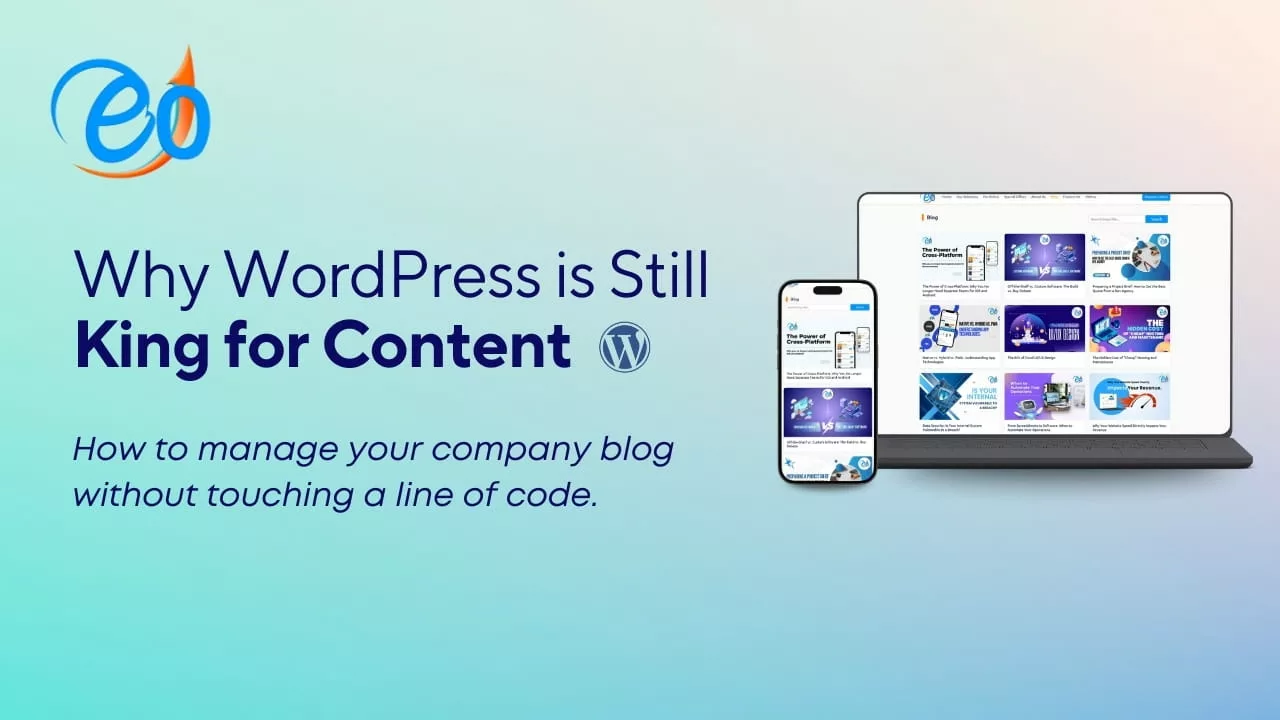
Why WordPress is Still King for Content: Manage Your Company Blog Without Touching a Line of Code

In the fast-evolving world of web development, new platforms and “site builders” emerge every year. Yet, despite the competition, WordPress remains the undisputed king, powering over 43% of all websites on the internet.

For business owners and marketing teams, the reason for this dominance isn’t just about technical capability—it’s about empowerment. You don’t need to be a software engineer to maintain a professional, high-performing corporate blog.

Here is why WordPress is still the best choice for your company, and how you can manage it entirely code-free.

1. The Power of Gutenberg: Visual Storytelling

Gone are the days of staring at a confusing wall of HTML tags. WordPress’s modern editor, Gutenberg, uses a “block-based” system. Think of it like Lego for your blog.

Want to add a gallery of your latest project? Just add an Image Block. Need a “Call to Action” button? Drag in a Button Block. You can see exactly how your post will look before you hit publish. This allows your marketing team to focus on storytelling rather than troubleshooting layout issues.

2. SEO Mastery Out of the Box

Content is only valuable if it’s found. WordPress is architected in a way that search engines love. With user-friendly plugins like Yoast SEO or Rank Math, managing your metadata, keywords, and readability becomes a simple “green light, red light” game. You can optimize your entire strategy through a simple interface without ever opening a .php file.

3. A Plugin for Every Business Need

The true magic of WordPress lies in its ecosystem. Because it is the industry standard, there is a plugin for everything:

  • Lead Generation: Connect your blog to your CRM effortlessly.

  • Security: Protect your corporate data with one-click firewall solutions.

  • Analytics: See which articles are performing best directly from your dashboard.

4. Scalability: From Startup to Enterprise

WordPress grows with you. You might start with a simple blog, but as your company expands, WordPress can transform into a full-scale e-commerce platform or a complex portal for our digital solutions. Because the platform is open-source, you are never “locked in”—you own your content and your data entirely.

5. Why Professional Setup Matters

While WordPress is easy to manage day-to-day, the foundation matters. To ensure your site is fast, secure, and uniquely branded, many companies opt for a custom WordPress build.

A custom-built site ensures that your “backend” is streamlined. Instead of a cluttered interface, you get a dashboard tailored specifically to your company’s workflow. This means you spend less time figuring out where things are and more time connecting with your audience.

Ready to elevate your digital presence?

At Eocambo, we specialize in crafting high-performance, custom WordPress websites that empower your team to take full control of your content. Whether you need a robust company blog or a complex enterprise solution, we build the engine so you can focus on the driving.

The ROI of Good UI/UX Design

In today’s digital-first economy, the design of your website or mobile app is no longer just a matter of aesthetics—it is a critical driver of business performance. Many companies still view User Interface (UI) and User Experience (UX) as “the finishing touches” on a product, but data shows that a strategic investment in design yields one of the highest returns in the tech world.

Here is a breakdown of the ROI of good UI/UX design and why it matters for your business.

1. The “100-to-1” Return Rule

According to research by Forrester, every $1 invested in UX design results in a return of up to $100. This staggering 9,900% ROI stems from the fact that a well-designed product reduces customer acquisition costs, lowers support requirements, and increases long-term retention.

2. Massive Boost in Conversion Rates

First impressions are 94% design-related. If your interface is cluttered or confusing, users leave before even reading your value proposition.

  • UI Impact: A well-crafted User Interface can boost your conversion rate by 200%.

  • UX Impact: Improving the overall User Experience (how the product feels and functions) can raise conversion rates by up to 400%.

When users can find what they need without friction, they are far more likely to complete a purchase or sign up for your services.

3. Reducing the “Cost of Frustration”

Bad design is expensive. It is estimated that 88% of online users are less likely to return to a site after a single bad experience. Furthermore, slow loading times—often a result of poor technical UX—lead to billions in lost sales annually. By investing in UI/UX early, you avoid:

  • Development rework: It is 100 times more expensive to fix a usability error after the code is written than during the design phase.

  • Customer support overload: Intuitive design answers the user’s questions before they have to ask, significantly reducing the volume of support tickets.

4. Gaining a Competitive Edge

McKinsey & Company found that design-driven companies increase their revenues and shareholder returns nearly twice as fast as their industry peers. In a crowded marketplace, the “ease of use” becomes your strongest differentiator. Customers are no longer just buying a product; they are buying the experience of using it.

Ready to Optimize Your Digital Experience?

At eOcambo Technology, we specialize in building high-performance websites and mobile applications that don’t just look great—they deliver results. Our team combines local expertise with global design standards to ensure your digital products provide a seamless experience for your users and a measurable ROI for your business.

Whether you are looking to refresh an existing platform or build a new one from scratch, we are here to help.

Contact Us Today to Start Your Design Journey

The Hidden Cost of “Cheap” Hosting and Maintenance

In business, we are taught to keep overhead low. When looking at a line item for website hosting, the difference between a $5/month plan and a $50/month managed service seems like an easy place to save.

But your website isn’t just a digital flyer; it’s your storefront, your 24/7 salesperson, and often the first impression a customer has of your brand. When you cut corners on the foundation of that storefront, you aren’t just saving pennies—you’re inheriting risks that can cost thousands of dollars down the road.

Here is the “hidden” invoice you pay when you opt for budget hosting and neglected maintenance.

1. The “Bad Neighbor” Effect (Performance)

Most cheap hosting plans use Shared Hosting. This means your website is crammed onto a single server with thousands of other sites.

  • The Problem: If a “neighbor” on your server has a massive traffic spike or gets infected with malware, your site slows to a crawl or crashes.

  • The Hidden Cost: According to Google, 53% of mobile users abandon a site that takes longer than 3 seconds to load. If your “cheap” host adds just two seconds of lag, you could be losing half of your potential customers before they even see your logo.

2. The SEO Penalty

Search engines like Google prioritize user experience. They publicly state that Page Speed and Uptime are ranking factors.

  • The Problem: Budget hosts often have frequent “micro-downtimes.” If Google’s crawlers try to visit your site while it’s down (or dragging), they flag your site as unreliable.

  • The Hidden Cost: You can spend thousands on SEO content, but if your host is slow, you’ll never see the first page of results. The cost here is the lost organic traffic you have to replace with expensive paid ads.

3. The “Swiss Cheese” Security Model

Security isn’t a “set it and forget it” task. Cheap maintenance (or no maintenance) means your plugins, themes, and server software are rarely updated.

  • The Problem: Outdated software is the #1 way hackers enter a site. Budget hosts rarely provide proactive malware scanning or “clean-up” services.

  • The Hidden Cost: If your site is hacked, a professional cleanup can cost anywhere from $500 to $2,500+. That’s not including the “reputation tax” when Google puts a “This site may be hacked” warning next to your business name in search results.

4. The “Ghost” Support Team

When your site goes down during a big promotion or a Monday morning rush, you need a human being to fix it—fast.

  • The Problem: Cheap providers stay cheap by outsourcing support to massive call centers or relying on slow ticket systems. You might wait 24–48 hours for a response that says, “It’s a plugin issue; not our problem.”

  • The Hidden Cost: Lost Revenue. If your site is down for two days and you typically generate $500/day in leads or sales, that “cheap” hosting just cost you $1,000 in 48 hours.

5. The “Nickel and Dime” Trap

Budget hosts often lure you in with a $2.99/month price tag, but that price is a shell.

  • The Problem: Essential features—like SSL certificates (the padlock icon), daily backups, and professional email—are often “add-ons” that double or triple your bill.

  • The Hidden Cost: When you add up the necessary extras, the “budget” plan often ends up costing nearly as much as a premium managed service, but with none of the performance benefits.

The Bottom Line: Value Over Price

Investing in Managed Hosting and Maintenance is like hiring a security guard, a mechanic, and a concierge for your digital storefront. You aren’t just paying for “space on a server”; you are paying for:

  • Speed: That keeps users on your page.

  • Security: That protects your data and your customers.

  • Uptime: That ensures you never miss a lead.

  • Peace of Mind: Knowing that if something breaks, a professional is already fixing it.

Is your website a liability or an asset? If you’re still on a “bargain” plan, it might be time to look at what it’s really costing you.

Why Your Website Speed Directly Impacts Your Revenue

In the digital marketplace, every millisecond counts. While design and content are crucial, the technical performance of your website—specifically its speed, is often the invisible factor that determines whether a visitor becomes a customer or a bounce statistic.

Here is an article breaking down exactly why website speed is a direct driver of your bottom line.

Why Your Website Speed Directly Impacts Your Revenue

In an era of instant gratification, your customers aren’t just looking for quality; they are looking for it now. Research consistently shows that as page load time increases, the probability of a user leaving (bouncing) skyrockets.

1. The “Impatience Factor”: Bounce Rates and Speed

A slow website creates friction. If a page takes longer than three seconds to load, over 40% of users will abandon it. This isn’t just a lost visit; it’s a potential customer moving directly to a competitor.

  • 1–3 seconds: Bounce probability increases by 32%.

  • 1–5 seconds: Bounce probability increases by 90%.

  • 1–10 seconds: Bounce probability increases by 123%.

2. Search Engine Visibility (SEO)

Google has explicitly stated that page speed is a ranking factor. Their “Core Web Vitals” are metrics used to measure the health of a site’s user experience.

If your site is slow, you will rank lower in Search Engine Results Pages (SERPs). Lower rankings mean less organic traffic, which leads to fewer opportunities for sales. In short: Slow speed = Lower visibility = Lower revenue.

3. Conversion Rates: The Millisecond Advantage

Conversion rate optimization (CRO) is often focused on button colors or headlines, but speed is the foundation. Even a 0.1-second improvement in site speed can increase conversion rates by nearly 8–10% for retail sites.

Load Time Impact on Conversion
< 2 Seconds Peak conversion window for most E-commerce sites.
3 – 4 Seconds Conversion rates begin to drop by roughly 5-10% per second.
5+ Seconds Significant “cart abandonment” and loss of consumer intent.

The Psychological Impact: Trust and Brand Perception

Speed is a proxy for professionalism. When a site loads instantly, it feels secure, modern, and reliable. Conversely, a sluggish site triggers subconscious “red flags” for users:

  • Security Concerns: Users are less likely to enter credit card info on a site that feels “broken” or slow.

  • Customer Support: A slow site suggests that the company’s customer service might be equally slow.

“A slow website is like a physical store with a door that’s hard to open. Most customers will simply walk to the next shop rather than struggle to get in.”

How to Reclaim Your Revenue: Quick Wins

If your site is lagging, you don’t necessarily need a full rebuild. Start with these high-impact technical fixes:

  • Optimize Images: Large image files are the #1 cause of slow sites. Use WebP formats and compress images before uploading.

  • Enable Browser Catching: This stores elements of your site on a visitor’s device so the site loads faster on their next visit.

  • Use a Content Delivery Network (CDN): A CDN stores your site on a global network of servers, ensuring it loads quickly regardless of where the user is located.

  • Minify Code: Strip away unnecessary characters from your HTML, CSS, and JavaScript.

The Bottom Line

Website speed is no longer just a “technical spec”—it is a core business metric. By investing in performance, you aren’t just making your site faster; you are actively reducing friction in the sales funnel and protecting your profit margins.

5 Signs It’s Time to Redesign Your Corporate Website

In the fast-paced world of technology and business, your corporate website is more than just an address—it’s your primary digital storefront, lead generation engine, and brand ambassador. If your website isn’t performing, it’s actively holding your business back.

Ignoring an outdated or ineffective website can lead to lost conversions, diminished credibility, and frustration for both your team and your potential customers.

Here are five critical signs that tell you it’s time to stop patching up the old site and invest in a full corporate website redesign.

1. Your Mobile Experience is a Liability, Not an Asset

We live in a mobile-first world. If your visitors are forced to squint, pinch, and horizontally scroll to read your content on a smartphone, they won’t stick around. A non-responsive design is the quickest way to lose credibility and drive traffic straight to your competitors.

  • The Technical Reality: Google prioritizes mobile-friendly sites. If your site doesn’t offer a seamless experience on all devices, your search rankings are suffering.

  • The User Experience: A smooth, intuitive mobile experience is no longer a luxury—it’s a basic expectation. If you can’t easily navigate to the product page on a phone, your solution is a redesign.

2. Slow Load Times Are Crushing Your Conversion Rate

User patience is minimal online. If your website takes more than 3 seconds to fully load, you are statistically losing a significant percentage of potential customers. Slow load times are often a tell-tale sign of a legacy system, unoptimized images, or bloated code.

  • The Business Impact: Even minor delays translate directly into lost revenue. Visitors associate fast sites with professional, modern businesses.

  • The Fix: A redesign allows you to integrate modern performance tools and clean, efficient code, ensuring a lightning-fast experience that keeps users engaged.

3. The Design Looks Dated and Fails to Reflect Your Current Brand

Design trends evolve rapidly, and in the technology sector, looking outdated is synonymous with being behind the curve. If your website utilizes old-school visual effects, low-resolution imagery, or a cluttered, complex layout, it sends a clear signal: your company is stuck in the past.

  • The Credibility Factor: Your website is a direct reflection of your company’s professionalism. A modern, crisp design builds trust and reinforces your status as an industry leader.

  • The Opportunity: A redesign is the perfect chance to align your digital presence with your current marketing message and future vision.

4. Updating Content is a Painful, Manual Process

A healthy corporate website is a dynamic one. If simple tasks—like updating a team member’s bio, adding a new service description, or publishing a blog post—require specialized coding knowledge, IT support, or a complex series of steps, your CMS is outdated.

  • The Marketing Bottleneck: A difficult-to-manage site hinders your marketing team’s ability to react quickly to market changes or maintain fresh, relevant content.

  • The Solution: Migrating to a modern, intuitive CMS (like WordPress, HubSpot, or similar platforms) during a redesign puts the power of content management back in your team’s hands.

5. It’s Not Generating Leads or Driving Clear Actions

Ultimately, your corporate website must serve a business purpose: generating leads, closing sales, and providing information. If your analytics show high bounce rates, low time-on-page, and poor conversion rates, your site has failed its primary mission.

  • The Failure Point: Is it difficult for users to find your primary Call-to-Action (CTA)? Are the pathways to contact buried under layers of navigation?

  • The Redesign Focus: A successful redesign is centered on Conversion Rate Optimization (CRO). It establishes clear user journeys, prominent CTAs, and optimized landing pages designed to turn visitors into qualified leads.


Time to Evaluate Your Digital Presence

If any of these five signs resonate with your current situation, it’s not a moment too soon to begin planning a comprehensive website redesign. It is an investment in your company’s future, ensuring your digital storefront works as hard as your sales team to drive success.

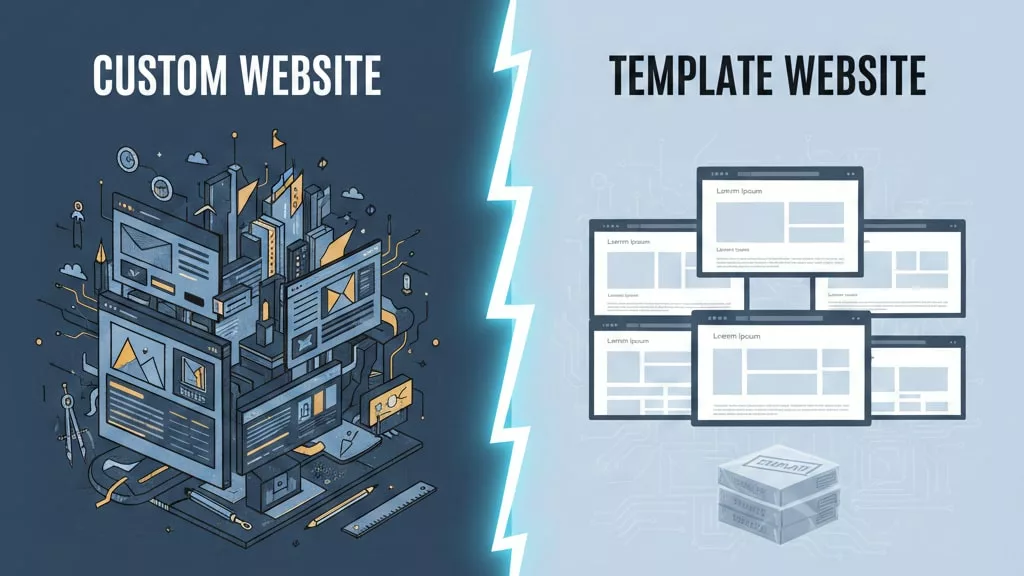
Custom vs. Template Websites: A Strategic Guide for Your Business

Launching a new website is a critical step for any organization. One of the most fundamental decisions you’ll face is whether to build a custom website or use a pre-made template. This choice isn’t just about aesthetics; it impacts your budget, timeline, security, and long-term growth potential.

This guide breaks down both options to help you make an informed decision that aligns with your business goals.

The Core Difference: Bespoke Tailoring vs. Ready-to-Wear

Think of a custom website as a bespoke suit. It is designed and built from the ground up exclusively for your business, considering every measurement and detail. A website template, conversely, is like a high-quality off-the-rack suit. It’s pre-designed, quick to acquire, and can look great, but it may require alterations to fit perfectly.

Let’s explore each in detail.

What is a Custom Website Design?

A custom website is engineered from scratch by a team of professionals (designers, developers). Every element from the user flow and layout to the underlying code is created to meet your specific business objectives, brand identity, and functional requirements.

Ideal for: Businesses with complex needs, strong brand identities, specific integrations (e.g., custom databases, proprietary software), and plans for significant growth.

Pros of a Custom Website:

  • Unique Brand Identity: Your site is one-of-a-kind, reinforcing brand authority and helping you stand out in a crowded market.

  • Tailored Functionality: Every feature serves a purpose. You get exactly what you need without bloat from unused template features.

  • Superior SEO Foundation: Developers can write clean, optimized code and structure the site for search engines from day one, often leading to better rankings.

  • Enhanced Performance & Security: Without unnecessary template code, sites can be faster and more secure. Security protocols can be specifically hardened for your needs.

  • Total Scalability & Flexibility: The site architecture is designed to grow with you. Adding new features or scaling infrastructure is typically more straightforward.

  • Long-Term Ownership & Control: You own the complete codebase, making it easier to switch hosting providers or agencies in the future.

Cons of a Custom Website:

  • Higher Initial Investment: Requires a significant upfront budget for strategy, design, development, and testing.

  • Longer Timeline: The process from conception to launch is measured in months, not days or weeks.

  • Requires Expert Teams: You must hire an experienced agency or in-house team to manage the project.

What is a Website Template?

A template is a pre-designed website framework. Using platforms like WordPress (with themes), Wix, Squarespace, or Webflow, you can populate a chosen design with your own content, colors, and logos. The core structure and functionality are predetermined.

Ideal for: Startups, solopreneurs, projects with tight budgets/deadlines, or businesses needing a simple online brochure or portfolio.

Pros of a Website Template:

  • Cost-Effective & Fast: Significantly lower initial cost and can be launched in a matter of days or weeks.

  • User-Friendly: Often built with drag-and-drop builders, requiring little to no technical knowledge to get started.

  • Pre-Built Features: Comes with standard functionalities (contact forms, galleries, blogs) ready to use.

  • Design Consistency: Themes are designed to be visually coherent, reducing the risk of poor design choices.

Cons of a Website Template:

  • Limited Uniqueness: Thousands of other sites may use the same template, diluting your brand’s distinctiveness.

  • Design & Functional Constraints: Customization is often confined to the template’s options. Unique business processes may not fit.

  • Performance & Bloat: Templates often come with excess code for features you don’t use, potentially slowing down your site.

  • Plugin Dependency & Security: Adding functionality requires third-party plugins, which can create conflicts, slow performance, and introduce security risks if not meticulously maintained.

  • Scalability Challenges: As your business grows, the template may become a limiting factor, potentially requiring a full rebuild sooner.

  • Ongoing Maintenance: You are responsible for updating the template, platform, and all plugins to ensure security and compatibility.

Custom Website vs. Template: How to Choose

Your decision should be guided by your business stage, goals, budget, and technical appetite.

Choose a CUSTOM WEBSITE if:

  • Your brand identity is a core competitive advantage.

  • You have complex functionality needs (e.g., custom user portals, complex e-commerce, integrations).

  • Performance, security, and SEO are top priorities.

  • You have a clear vision for growth and need a scalable digital foundation.

  • You have the budget to view your website as a long-term strategic investment.

Choose a WEBSITE TEMPLATE if:

  • You need to establish an online presence quickly and cost-effectively.

  • Your needs are standard (e.g., information pages, a simple blog, a basic contact form).

  • You have a limited budget and no in-house technical resources.

  • You are testing a business idea and need a viable MVP (Minimum Viable Product).

  • You can accept design and functional limitations for the sake of speed and affordability.

The Final Verdict: Think Long-Term

A template is an excellent short-term solution to get online quickly. However, it often becomes a long-term constraint. The initial savings can be eroded by plugin costs, redesigns, and the eventual need to migrate to a custom solution as your business matures.

A custom website is a strategic long-term asset. While the initial investment is higher, it builds a unique, scalable, and high-performing foundation that can grow with your business, deliver a superior user experience, and provide a stronger return on investment over time.

Ask yourself: Is your website a temporary tool or the cornerstone of your digital strategy? Your answer will point you in the right direction.

Website Security Tips

Securing your website isn’t just a tech task, it’s a business necessity. Whether you run a personal blog, business site, or full system, protecting it from cyber threats is key to maintaining trust and avoiding downtime. Here are some essential tips to keep your site safe and secure.

1. Use HTTPS

Always secure your website with HTTPS. It encrypts data between the user’s browser and your server, making it harder for hackers to steal sensitive information. HTTPS also boosts your credibility, since modern browsers label non-HTTPS sites as “Not Secure.”

2. Keep Everything Updated

Outdated software is one of the biggest security risks. Always keep your CMS, plugins, themes, and server software up to date. Many security breaches happen simply because of missed updates that fix known vulnerabilities.

3. Use Strong Passwords and Two-Factor Authentication (2FA)

Weak passwords are easy targets for brute-force attacks. Use strong, unique passwords for all accounts and enable two-factor authentication whenever possible. This adds an extra layer of protection even if your password gets compromised.

4. Backup Your Website Regularly

Backups are your safety net. If your website is hacked or crashes, having recent backups ensures you can restore it quickly. Use both cloud and local backup solutions and set them to run automatically.

5. Install a Web Application Firewall (WAF)

A WAF filters out malicious traffic before it reaches your website. It protects against common threats like SQL injections, cross-site scripting, and DDoS attacks. Services like Cloudflare or Sucuri offer great options.

6. Limit User Access and Roles

Not everyone needs full access to your website. Assign user roles carefully and only give the necessary permissions. Review your user list regularly and remove any inactive or unnecessary accounts.

7. Scan for Malware Frequently

Even secure websites can get infected. Use security tools or plugins to scan your site regularly for malware, vulnerabilities, and unauthorized changes. Early detection makes fixing problems much easier.

Final Thoughts

Website security is an ongoing effort—not a one-time setup. By following these simple yet powerful steps, you can greatly reduce your website’s vulnerability. If you’re not sure where to start, we can help with a full security audit and protection plan tailored to your website’s needs.